Digital Fluency Intensive: Reflections on Day 1

What did I learn that increased my understanding of Manaiakalani kaupapa and pedagogy?
I learnt that in 2009 after two years of 'Learn, Create, Share' pedagogy without 1-1 devices, schools in the Manaiakalani Outreach Programme showed significant shifts in students AsTTle writing beyond the expected national norms.
Origins Story: The Manaiakalani Programme
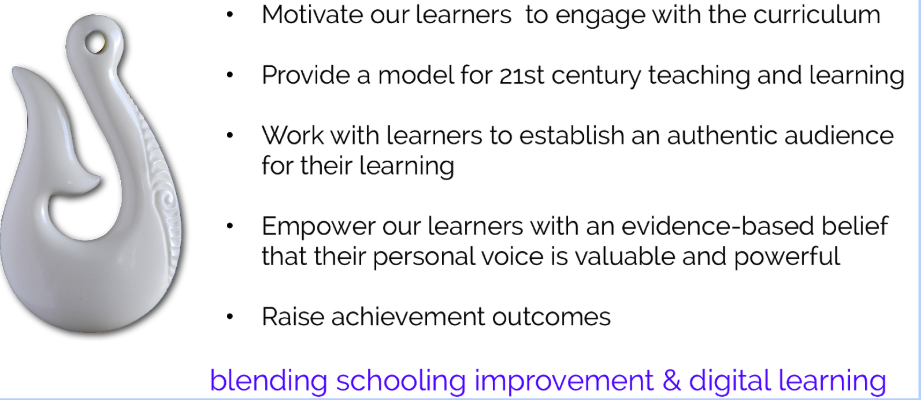
Beyond this was the realisation that by giving students a personal voice in the classroom, then learning had relevance to the children's own lives.
The challenge is always to raise achievement levels in schools. We recently had discussions on this, specifically looking at our 'Summer Lag' where students are returning to school in Term 1 at a lower level to Term 4 in the previous year.
What did I learn that could improve my confidence, capability or workflow as a professional?
A few of the tips I have learnt today include:
Sharing by: Shift z (Keeps it in the folder & put it in another folder, modifying in new folder and original folder)
Shift z- add to drive & shared material will move to your drive & keep updating
Put material created into folder with settings as: Anyone with the link can view
Creating docs
*Go to place you want it to be in first (rather than starting with a doc. open).
*Command/ shift/ V - takes away the formatting
*Command D- deletes text
Previously had been using Pages as a way of creating a class newsletter. Today I created a class newsletter on Google Docs, found it was a lot faster, easier to manipulate and produced a good final product (see below).

What did I learn that could be used with my learners?
Oral Language
Have students read into voice typing
Then read over what they said and talk about what they have created.
Use a cup to speak into it to block noise from outside
Ensure children are speaking properly- persevere
Read a piece of text
-highlight a piece and share with kids
-comment on a section- ask kids to ask questions of others
Have hard copy- then put link into chromebook- ask quesitons on the docs
Also looked at a couple of Add Ons on Google:
Doc to Forms- Allows you to quickly and easily create a Google Form from within a Doc. Great for creating
a Google form from an old worksheet
Word Cloud Generator- allows you to create a summary of a section of text with a specific number of words- nice graphic display
Talk & Comment- another way to speak into a device and leave a comment in oral form rather than by text.
Thank you for reading and commenting on this week's blog post.
Also looked at a couple of Add Ons on Google:
Doc to Forms- Allows you to quickly and easily create a Google Form from within a Doc. Great for creating
a Google form from an old worksheet
Word Cloud Generator- allows you to create a summary of a section of text with a specific number of words- nice graphic display
Talk & Comment- another way to speak into a device and leave a comment in oral form rather than by text.
What did I learn that could improve my confidence, capability or workflow in my personal life?
Growing in confidence using Google docs and the tools for shortcuts. Very useful session today, especially liked the practical application of the information shared. I look forward to learning more in the next 8 weeks.
Thank you for reading and commenting on this week's blog post.
